For contractors on QuickBooks

Your QuickBooks numbers, on one live screen.

QuickBooks keeps your books. Aida Dashboards show what they mean: sales, profit, receivables, cash and crews, always current, for everyone from the owner to the office. Ask Aida answers anything else.

Free demo with a sample company. Sign in with your work email and we'll send you a code.

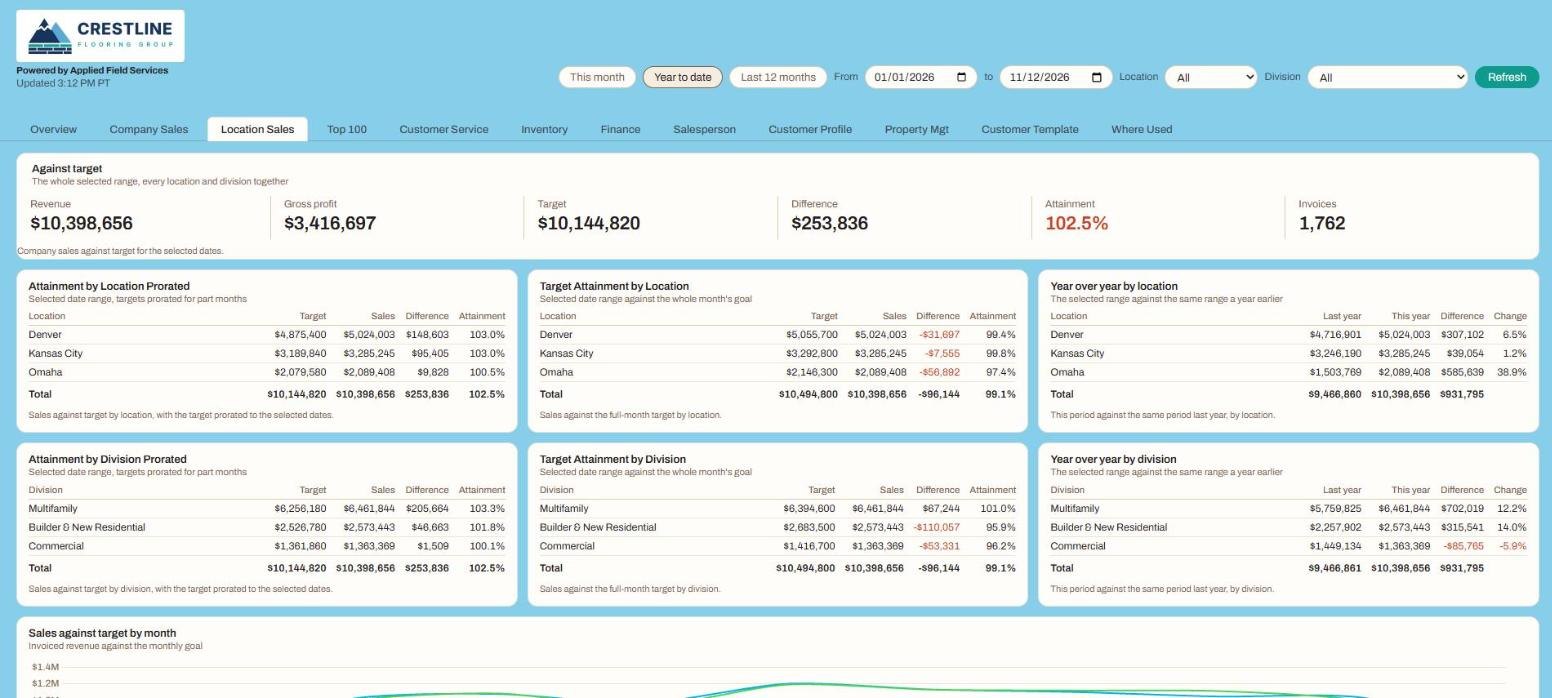
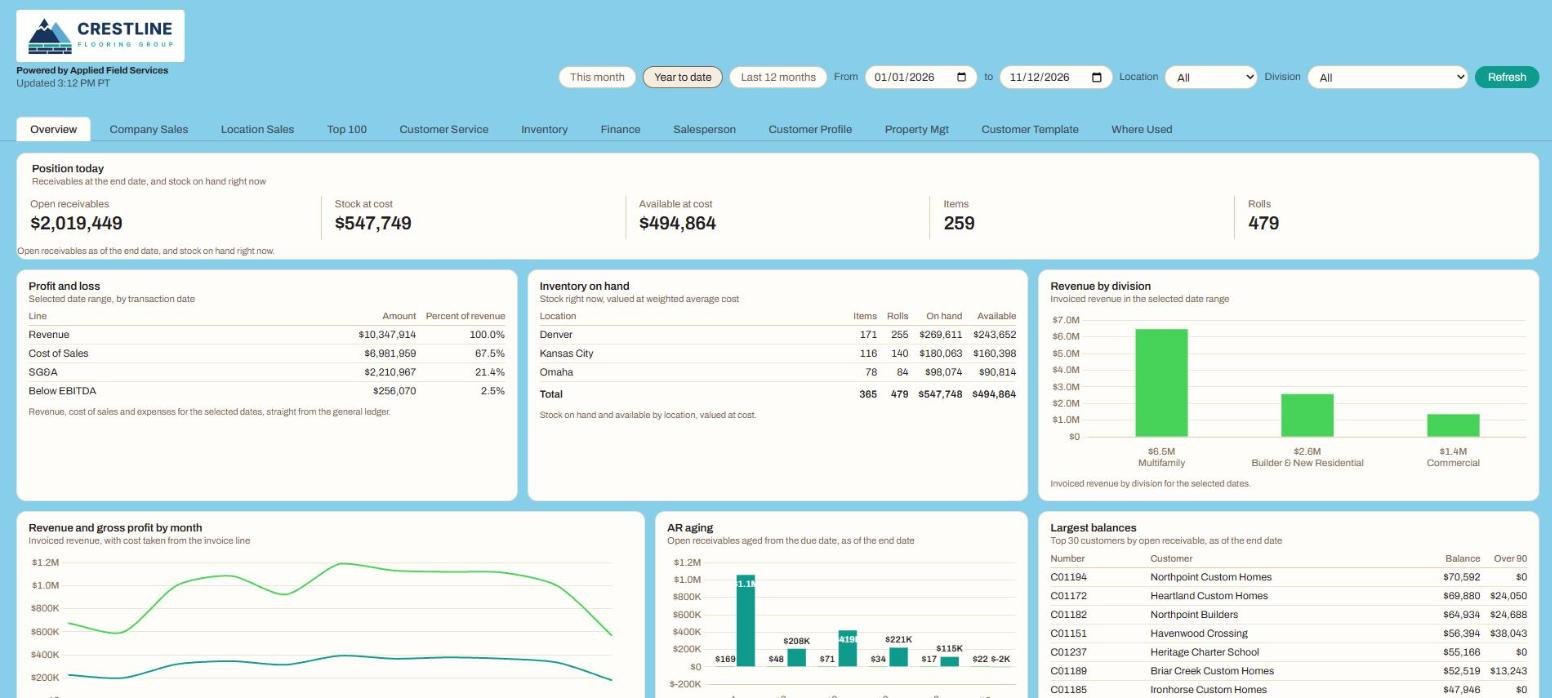
Aida Dashboards overview tab showing profit and loss, receivables, stock on hand and revenue by division for a sample company

Aida Dashboards, shown with a sample company's data.

QuickBooks reports weren't built for running a contracting business

They're built for your accountant. So the numbers you need end up in exports, spreadsheets and month-end surprises.

Export, paste, repeat

Every week someone pulls reports into Excel to answer the same questions, and the answers are out of date by Monday.

No view by job, branch or person

You can see the whole company, but not which location, division, salesperson or crew is carrying it.

Cash you find out about late

Who owes you, how long it's been, and what you owe, sitting in separate reports nobody opens until it's a problem.

What you get

Your data stays where it is. Aida reads it and keeps the picture current.

One screen for the whole company

Profit and loss, sales against target, receivables and payables aging, cash and inventory, with this month, year to date or any dates you pick.

The right view for each person

Owners see everything. A branch manager sees one location, a salesperson sees their own customers, the office sees what needs chasing.

Ask instead of digging

Ask Aida answers questions about your numbers in plain language, out loud or typed, with the chart and the table, ready to share as PDF or Excel.

Built around your business

Anything not on the standard dashboard can be added: new panels, new tabs, your targets, your groupings, your terms.

Ask Aida: "Which customers are more than 60 days past due, and how much do they owe?"
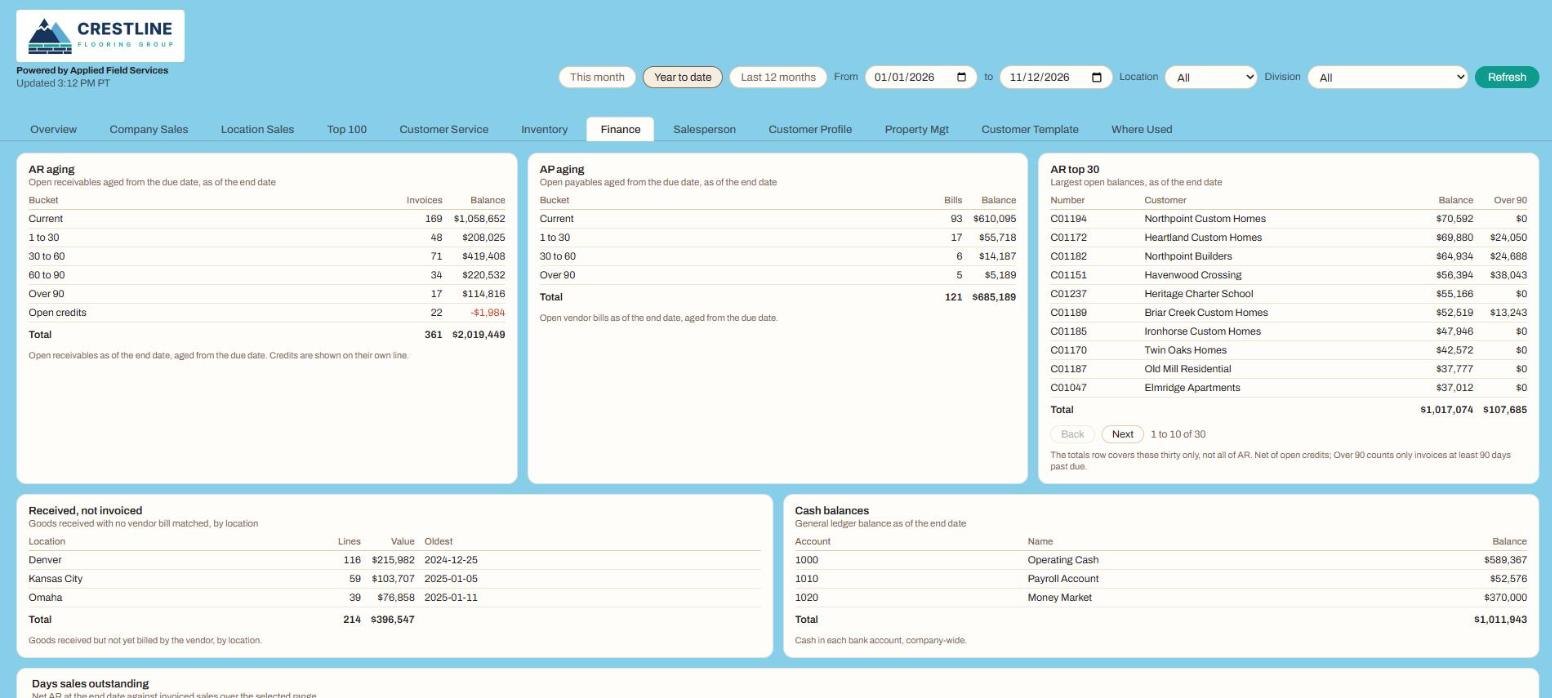
Finance tab with receivables and payables aging, the largest balances and cash

Finance: AR and AP aging, largest balances and cash.

Location sales tab with each location and division against target

Location sales: every location and division against target.

Outgrowing QuickBooks?

The dashboards and Ask Aida work with QuickBooks today. When you're ready for one system that runs orders, scheduling, crew pay and job costing too, Aida Core is built for contractors, and the dashboards come with you.

Questions

Straight answers. Anything else, email us.

Do we have to stop using QuickBooks?

No. Aida Dashboards and Ask Aida work with the system you already have, including QuickBooks, other ERPs and spreadsheets. Nothing changes in how you keep your books.

What's on the dashboard?

Sales, profit, receivables, payables, cash, inventory and crews, cut by company, location, division and salesperson. Everyone sees the view that fits their job.

Can we add our own numbers?

Yes. Start with the standard dashboard, then add panels, tabs, targets and groupings for anything you track. We go through what you want on a short call.

Can I ask questions instead of reading reports?

Yes. Ask Aida works with QuickBooks Online. Ask a question in plain language, out loud or typed, and get the answer in seconds with the chart and the table.

How do we get set up?

Book a setup call and we connect it to your data for you. Ask Aida can be up and running in as little as 24 hours.
See your business on one screen.

Click through the live demo, then let's connect it to your QuickBooks.